
Installation
Note
We recommend to use UV since it is much faster and takes less disk space.
To use UV, install it with wget -qO- https://astral.sh/uv/install.sh | sh.
Typical installation
Supports many models, datasets and web dashboard:
sudo apt install python3-dev python3.12-dev python3.12-venv ffmpeg
pip install asr_eval[all]
sudo apt install python3-dev python3.12-dev python3.12-venv ffmpeg
uv pip install asr_eval[all]
Let’s validate the installation by running model inference and a web dashboard:
python -m asr_eval.bench.run -s whisper-predictions \
     -p whisper-tiny -d fleurs-ru:n=5
python -m asr_eval.bench.dashboard.run -s whisper-predictions
Lightweight installation
Some models bring heavy dependencies. You
can make installation lighter and/or resolve conflicts with your environment
by removing optional components. Please refer to the pyproject.toml,
read the commentaries and install only the required extras.
# example: support the dataset loading and dashboard,
# but no model support (so, no torch dependency etc.)
pip install asr_eval[datasets,dash]
# example: support the dataset loading and dashboard,
# but no model support (so, no torch dependency etc.)
uv pip install asr_eval[datasets,dash]
Model installations
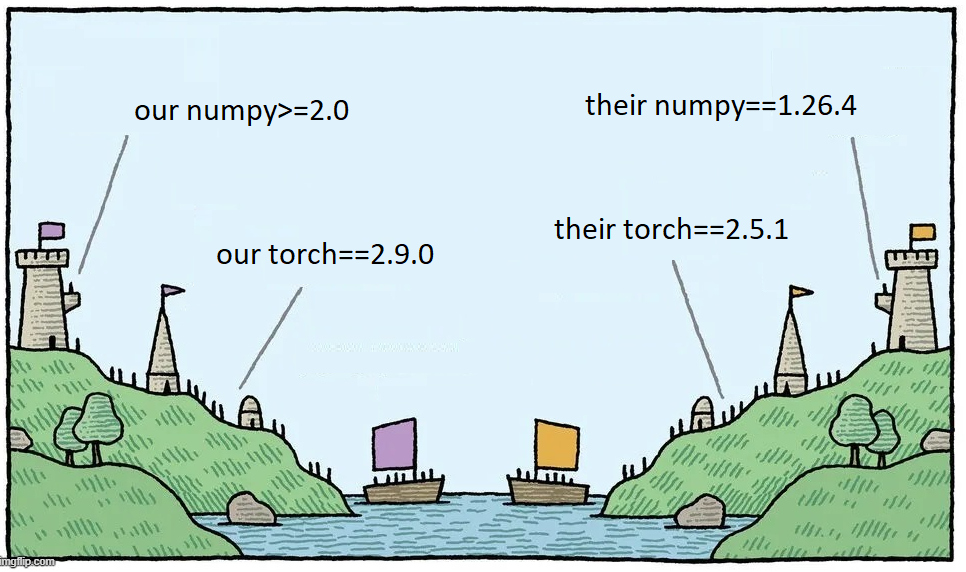
Some ASR models have conflicting dependencies! This is inevitable in large model collections. For this reason we do not include some models into the asr_eval dependencies. See below for installation instructions for specific models.
Dev installation
For contributing and to type-check the whole project, please install as follows.
git clone https://github.com/SibNN/asr_eval
cd asr_eval

python3.12 -m venv venv
source venv/bin/activate

pip install .[all,dev]
pip install -r requirements/type_checking.txt --no-dependencies

# then you can run tests and type checking:
python -m pytest tests
python -m xdoctest asr_eval --verbose 1
python -m pyright -p pyrightconfig.json asr_eval
git clone https://github.com/SibNN/asr_eval
cd asr_eval

uv sync --extra all --extra dev
uv pip install -r requirements/type_checking.txt --no-deps

# then you can run tests and type checking:
uv run python -m pytest tests
uv run python -m xdoctest asr_eval --verbose 1
uv run python -m pyright -p pyrightconfig.json asr_eval
The file type_checking.txt contains all optional packages without dependencies,
so no dependency conflicts will occur and type checking will succeed. This
can be combined with model installation (see below).
List of model installations
A model installation is a set of addidional requirements to make certain models and pipelines work. It is not possible to install all the models at once, because some of them have incompatible dependencies. It is recommended to create a separate venvs for different installations.
Whisper, Wav2vec2, Vikhr Borealis
# install
pip install asr_eval[models_stable,datasets]

# check
python -m asr_eval.bench.check whisper-tiny --audio EN_LONG
python -m asr_eval.bench.check wav2vec2-large-960h --audio EN_LONG
python -m asr_eval.bench.check vikhr-borealis-vad --audio RU_LONG
# install
uv pip install asr_eval[models_stable,datasets]

# check
uv run python -m asr_eval.bench.check whisper-tiny --audio EN_LONG
uv run python -m asr_eval.bench.check wav2vec2-large-960h --audio EN_LONG
uv run python -m asr_eval.bench.check vikhr-borealis-vad --audio RU_LONG
Wav2vec2 with KenLM
# install
pip install asr_eval[models_stable,datasets,kenlm]
pip install pyctcdecode==0.5.0 --no-dependencies

# check
python -m asr_eval.bench.check wav2vec2-large-ru-golos-lm-t-one --audio RU_LONG
# install
uv pip install asr_eval[models_stable,datasets,kenlm]
uv pip install pyctcdecode==0.5.0 --no-deps

# check
uv run python -m asr_eval.bench.check wav2vec2-large-ru-golos-lm-t-one --audio RU_LONG
Voxtral via VLLM
# install
pip install asr_eval[models_stable,datasets,openai]

# check
python -m asr_eval.bench.check voxtral-3B
# install
uv pip install asr_eval[models_stable,datasets,openai]

# check
uv run python -m asr_eval.bench.check voxtral-3B
Nemo
# install
pip install asr_eval[models_stable,datasets,nemo]

# check
python -m asr_eval.bench.check parakeet-tdt-0.6b-v3-vad --audio EN_LONG
# install
uv pip install asr_eval[models_stable,datasets,nemo]

# check
uv run python -m asr_eval.bench.check parakeet-tdt-0.6b-v3-vad --audio EN_LONG
Speechbrain
# install
pip install asr_eval[models_stable,datasets]
pip install speechbrain "huggingface_hub<1"

# check
python -m asr_eval.bench.check speechbrain-conformer-gigaspeech-streaming
# install
uv pip install asr_eval[models_stable,datasets]
uv pip install speechbrain "huggingface_hub<1"

# check
uv run python -m asr_eval.bench.check speechbrain-conformer-gigaspeech-streaming
Gemma3n
 # install
 pip install asr_eval[models_stable,datasets]
 pip install -r requirements/gemma3n.txt  # from asr_eval repo

 # check
python -m asr_eval.bench.check gemma3n-vad
# install
uv pip install asr_eval[models_stable,datasets]
uv pip install -r requirements/gemma3n.txt  # from asr_eval repo

# check
uv run python -m asr_eval.bench.check gemma3n-vad
Qwen2-Audio
Currently produces bad output, TODO fix the prompt or the code.
# install
pip install asr_eval[models_stable,datasets,qwen2audio]
pip install flash-attn --no-build-isolation

# check
python -m asr_eval.bench.check qwen2-audio-vad
# install
uv pip install asr_eval[models_stable,datasets,qwen2audio]
uv pip install flash-attn --no-build-isolation

# check
uv run python -m asr_eval.bench.check qwen2-audio-vad
Faster-Whisper
# install
pip install asr_eval[models_stable,datasets]
pip install faster_whisper

# check
python -m asr_eval.bench.check faster-whisper-internal-vad --audio EN_LONG
# install
uv pip install asr_eval[models_stable,datasets]
uv pip install faster_whisper

# check
uv run python -m asr_eval.bench.check faster-whisper-internal-vad --audio EN_LONG
If it says “Unable to load any of {libcudnn_ops.so.9.1.0, …}” - then find this file:
sudo find . -name "libcudnn_ops.so*" 2>/dev/null
And add the directory containing this file to LD_LIBRARY_PATH, for example:
export LD_LIBRARY_PATH=$LD_LIBRARY_PATH:..../lib/python3.12/site-packages/nvidia/cudnn/lib
GigaAM with KenLM (ru only)
# install
pip install asr_eval[models_stable,datasets,kenlm]
pip install git+https://github.com/salute-developers/GigaAM
pip install pyctcdecode==0.5.0 --no-dependencies

# check
python -m asr_eval.bench.check gigaam3-rnnt-vad --audio RU_LONG
python -m asr_eval.bench.check gigaam2-ctc-lm-t-one --audio RU_LONG
# install
uv pip install asr_eval[models_stable,datasets,kenlm]
uv pip install git+https://github.com/salute-developers/GigaAM
uv pip install pyctcdecode==0.5.0 --no-deps

# check
uv run python -m asr_eval.bench.check gigaam3-rnnt-vad --audio RU_LONG
uv run python -m asr_eval.bench.check gigaam2-ctc-lm-t-one --audio RU_LONG
Vosk (ru only)
# install
sudo apt install cmake -y
pip install asr_eval[datasets]
pip install -r requirements/vosk.txt  # from asr_eval repo

# check
python -m asr_eval.bench.check vosk-0.54-vad --audio RU_LONG
python -m asr_eval.bench.check vosk-ru-0.42-streaming --audio RU
# install
sudo apt install cmake -y
uv pip install asr_eval[datasets]
uv pip install -r requirements/vosk.txt  # from asr_eval repo

# check
uv run python -m asr_eval.bench.check vosk-0.54-vad --audio RU_LONG
uv run python -m asr_eval.bench.check vosk-ru-0.42-streaming --audio RU
T-One (ru only)
T-One depends on pyctcdecode, and pyctcdecode (PyPI version) depends on numpy 1.x. This is too restrictive, given that pyctcdecode also works perfectly for numpy 2.x. To address this, we first install T-One and pyctcdecode without dependencies, and then install dependencies manually.
# install
pip install asr_eval[models_stable,datasets,kenlm]
pip install pyctcdecode==0.5.0 --no-dependencies
pip install git+https://github.com/voicekit-team/T-one --no-dependencies
pip install "huggingface-hub (>=0.14,<1)" "onnxruntime (>=1.12,<2)"

# check
python -m asr_eval.bench.check t-one-vad --audio RU_LONG
# install
uv pip install asr_eval[models_stable,datasets,kenlm]
uv pip install pyctcdecode==0.5.0 --no-deps
uv pip install git+https://github.com/voicekit-team/T-one --no-deps
uv pip install "huggingface-hub (>=0.14,<1)" "onnxruntime (>=1.12,<2)"

# check
uv run python -m asr_eval.bench.check t-one-vad --audio RU_LONG
Yandex-speechkit API
 # install
 pip install asr_eval[datasets]
 pip install yandex-speechkit

 # check
python -m asr_eval.bench.check yandex-speechkit --audio EN_LONG
# install
uv pip install asr_eval[datasets]
uv pip install yandex-speechkit

# check
uv run python -m asr_eval.bench.check yandex-speechkit --audio EN_LONG
Salute API
# install
pip install asr_eval[datasets]
pip install salute_speech

# check
python -m asr_eval.bench.check salute-api-en --audio EN_LONG
# install
uv pip install asr_eval[datasets]
uv pip install salute_speech

# check
uv run python -m asr_eval.bench.check salute-api-en --audio EN_LONG